
Throttling of builds
Note
TL;DR
- How to prevent resource contention in Jenkins by using the Throttle Concurrent Builds Plugin — configuring a heavy_job category that limits resource-intensive builds (Yocto, AOSP) to one execution per node.
- Uses throttle(['heavy_job']) in pipeline scripts to enforce execution limits.
Some jobs are using many resources of the host node or running some jobs on the same node might cause the build(s) to fail. We can configure and limit job execution using Throttle Concurrent Builds Plugin.
How do you throttle OS builds?
We configured a Throttle Category called “heavy_job” (Manage Jenkins → Configure System → Throttle Concurrent Builds). This category limits execution of jobs to one execution per node:
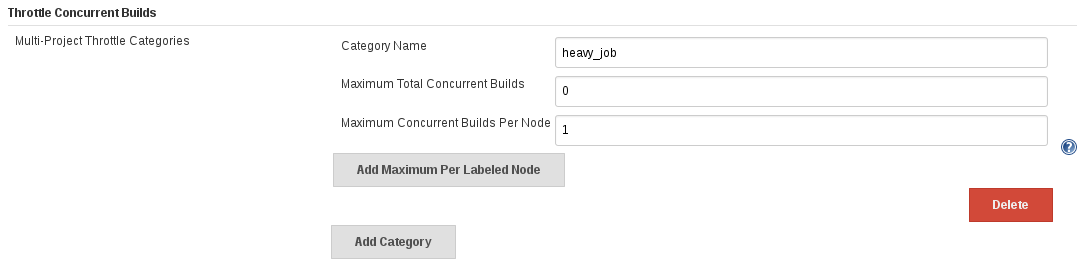
To throttle your pipeline job using this category, you have to adjust the pipeline script. Use ‘throttle’ step before the node definition with single-element-array argument with the name of the category as parameter of the ‘throttle’:
throttle(['heavy_job']) {
node('android-os-build') {
    stage('...') {
        // ...
    }

    // ...
}
}
All executions of jobs that will use this category will be limited according to the configuration in Jenkins system configuration as seen above on the picture - only one running execution per node.
Tip
Need to prevent Yocto or AOSP builds from overwhelming your CI nodes? Amarula Solutions configures build throttling, resource management, and node allocation strategies for embedded Linux CI/CD pipelines. Contact our CI/CD team